The Ultimate Thermal Guide: How to Use the Heat from Your Own Laptop to Warm Up a Pizza
 Befrey
WARNING: This article is a work of pure satire. Read only if you possess a functioning sense of humor and spare underwear.
The modern digital economy operates under a hidden, silent tragedy that threatens the core productivity of the global workforce: the rapid, merciless cooling of leftover pepperoni slices sitting adjacent to high-performance workstations. For decades, software engineers, digital marketers, and late-night researchers have watched in sheer horror as the glorious, viscous mozzarella of a late-night delivery pie congeals into a rubbery, room-temperature thermal wasteland. Traditional remedies such as trekking to a communal office microwave often lead to tragic structural compromises, yielding a soggy crust, scalded roof of the mouth, or outright theft by rogue middle-management staff. Fortunately, modern silicon engineering has unintentionally gifted humanity a solution that bridges the gap between thermodynamic waste and culinary resurrection. By mastering how to use the heat from your own laptop to warm up a pizza, knowledge workers across the globe can reclaim their lunch hour, dramatically reduce corporate energy expenditures, and turn thermal throttling into an artisan reheating mechanism.
The underlying physics of microchip degradation present an extraordinary opportunity for the culinary-inclined technologist who understands the laws of thermodynamics. As modern central processing units and graphics processing units execute complex vector calculations, they generate enormous quantities of ambient waste heat, typically dissipated via microscopic copper pipes and high-RPM cooling fans. Rather than allowing this precious thermal kinetic energy to vent uselessly into your workspace, a properly positioned slice of pizza can act as an organic, carbon-based heat sink. This unique technique, known in elite academic circles as Desktop Thermal Conduction Re-crisping, transforms your premium ultrabook into a dual-purpose computing engine and culinary pass-through unit. Understanding the exact mechanical alignment required to facilitate efficient thermal transfer between a glowing aluminum chassis and an oily crust is the single most important skill a remote worker can cultivate in the current decade.
The Thermodynamic Foundation of Laptop-Based Pizza Reheating
To fully appreciate the scientific breakthrough of desktop culinary heating, one must first analyze the thermal output characteristics of modern computing architectures under artificially induced heavy stress. When an application demands maximum computational throughput, the silicon die within your device reaches temperatures often exceeding ninety-five degrees Celsius. This kinetic energy conducts rapidly through the motherboard assembly, radiating outward toward the lower chassis and keyboard deck in a predictable, concentrated pattern known as the Thermal Apex Zone. By carefully positioning a cold slice of pizza directly over these high-density heat nodes, you create a closed-loop thermodynamic transfer environment that gradually liquefies solidified butterfat while restoring structural integrity to the dough matrix. Failing to understand these internal heat vectors can result in uneven cheese melt, catastrophic sauce migration into the trackpad assembly, or severe thermal throttling of your machine’s primary motherboard.
The structural composition of a standard delivery slice makes it uniquely suited to operate as a high-density thermal absorber within an office environment. The low moisture content of cured pepperoni, combined with the dense lipid profile of whole-milk mozzarella, allows the slice to absorb low-intensity radiant heat over extended intervals without suffering the rapid dehydration common to standard convection ovens. Furthermore, the porous nature of the bottom crust acts as a natural insulator, trapping rising thermal currents and forcing hot air back down through the topping layers. This parabolic heating effect ensures that the cheese reaches an optimal viscosity precisely as your operating system finishes compiling its latest software build. Mastering how to use the heat from your own laptop to warm up a pizza requires viewing your computer not as an electronic office utensil, but as a precision culinary hot plate with an integrated display.

Identifying the Primary Heat Nodes on High-End Ultrabooks
Before attempting any live culinary execution, you must rigorously map the precise thermal topography of your computer’s chassis using diagnostic telemetry software. Most high-performance laptops house their primary processing units directly beneath the upper center region of the keyboard, immediately adjacent to the display hinge assembly. This region acts as the primary heat engine, generating sustained temperatures capable of softening even the most stubborn, refrigerator-chilled crusts within a twenty-minute rendering cycle. Utilizing dedicated hardware monitoring applications allows you to identify whether your machine favors a left-leaning thermal distribution or a centralized exhaust configuration, ensuring your slice is positioned for maximum contact surface area. Placing a slice blindly onto an arbitrary section of the palm rest will yield dismal, room-temperature results and profound emotional disappointment.
Advanced users frequently employ specialized infrared thermography or physical tactile mapping to locate secondary heat pockets near the battery storage compartment and exhaust vents. These secondary zones typically operate at lower, more stable temperatures, making them ideal for gentle crust proofing or maintaining the internal temperature of garlic knots while the main slice reheats over the central processor. By establishing a comprehensive thermal profile of your hardware, you can construct a multi-stage reheating pipeline that optimizes both processing power and culinary texture. This analytical approach transforms an otherwise chaotic desk lunch into a disciplined, repeatable scientific experiment that maximizes both your billable hours and your total caloric satisfaction without leaving your ergonomic office chair.
System Configuration and Software Stress Testing Protocols
Achieving the high internal temperatures necessary to melt processed dairy products requires running deliberately inefficient software loops designed to push your hardware to its absolute limit. Standard administrative tasks, such as composing electronic mail or viewing static document files, fail to generate the energetic workload needed to elevate chassis temperatures above ambient room levels. To initiate the reheating phase, you must launch demanding computational tasks such as rendering uncompressed four-dimensional video files, compiling massive open-source code repositories, or running high-resolution physics simulations in the background. These resource-intensive operations force the system architecture to draw maximum wattage from the power outlet, transforming your computer into a roaring thermal furnace capable of restoring even the coldest deep-dish slice to its former glory.
For users without access to heavy industrial software, browser-based stress testing offers an accessible and highly effective alternative for immediate heat production. Opening eighty to one hundred concurrent browser tabs while simultaneously streaming multiple ultra-high-definition video feeds will reliably drive CPU utilization to one hundred percent within seconds. This deliberate system overload triggers the machine’s internal thermal management system, forcing the cooling fans to operate at maximum velocity and rapidly elevating the chassis skin temperature. It is critical to monitor internal system metrics during this process to ensure that your hardware remains within safe operating thresholds while still generating sufficient thermal output to penetrate the thick dough of a deep-dish slice.
Optimizing Fan Curves for Maximum Radiant Retention
Modern laptop firmware is aggressively programmed to dissipate internal heat as quickly as possible, often utilizing high-velocity fan profiles that exhaust thermal energy away from the chassis before it can conduct into your food. To counteract this protective feature and maximize thermal transfer to your pizza, you must manually override the default fan control curves using specialized system administration utilities. By forcing the internal fans to operate at a reduced duty cycle during the initial ten minutes of the reheating process, you allow heat to accumulate along the upper deck plate, creating an ideal hot-plate surface. Extreme caution must be exercised during this phase to avoid triggering emergency hardware shutdowns caused by internal component overheating.
Once the chassis achieves the target temperature required for cheese liquefaction, the fan speed can be incrementally increased to propel warm exhaust air across the top of the slice, simulating a professional commercial convection oven. This dual-action heating methodology combines direct conductive transfer from the aluminum casing with forced air convection from the exhaust ports, drastically reducing the total time required to achieve a uniform melt. Adjusting your system settings in this manner demonstrates a sophisticated understanding of computing architecture, elevating the act of learning how to use the heat from your own laptop to warm up a pizza into an art form that balances system stability with culinary perfection.
Material Barriers and Grease Mitigation Strategies
The primary challenge associated with using high-end personal computing hardware as a culinary heat source is the immediate risk of liquid grease infiltrating sensitive electronic components. Pizza toppings, particularly high-fat meats like pepperoni and sausage, release significant quantities of free-floating lipids when exposed to sustained thermal radiation. Allowing these oils to seep through the keycaps or trackpad seams will inevitably cause permanent keyboard failure, short-circuit the internal motherboard logic, and void your manufacturer warranty in a deeply embarrassing fashion. Therefore, establishing an impenetrable, high-conductivity physical barrier between your food item and the computing surface is an absolute non-negotiable requirement for safe operation.
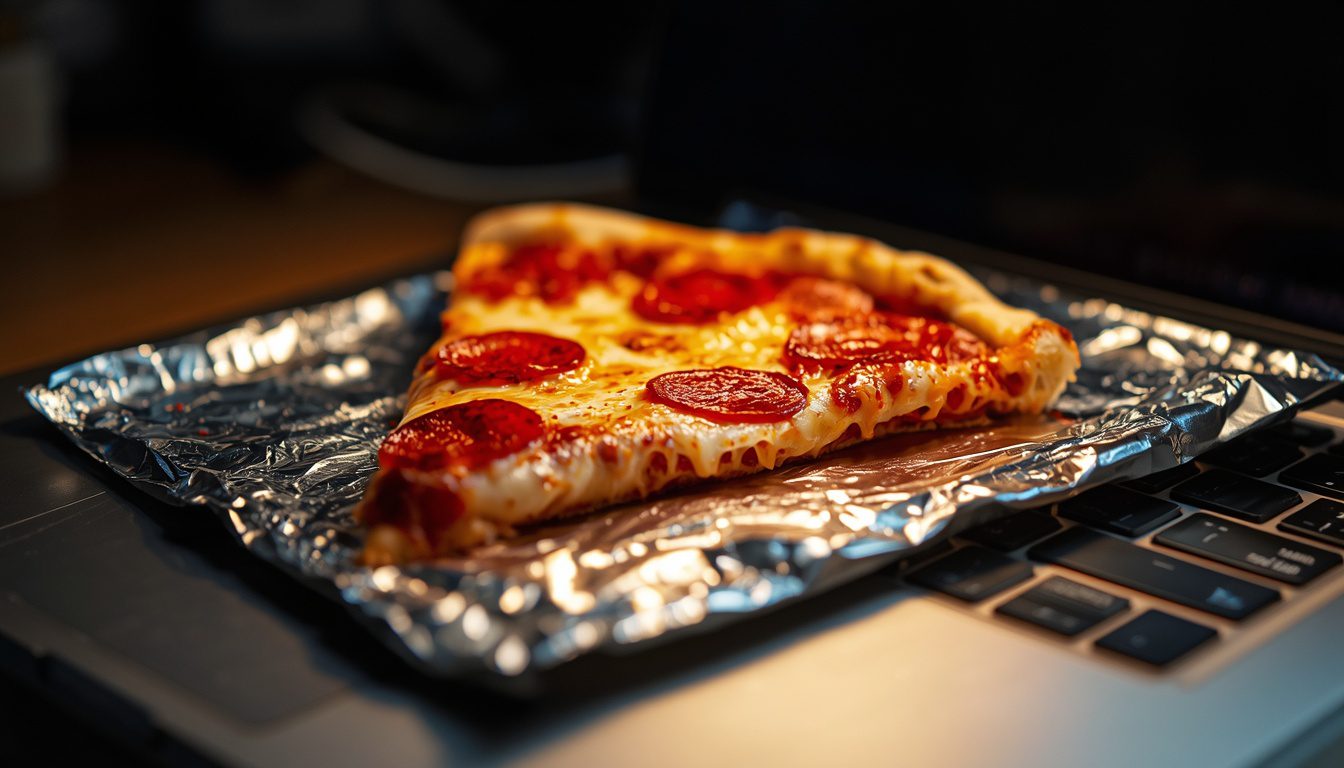
To construct an effective grease barrier without sacrificing precious thermal conductivity, users should utilize ultra-thin, highly refined aluminum foil wrapped tightly around the lower crust. The foil must be smoothed out completely to eliminate microscopic air pockets, which act as unwanted thermal insulators and hinder the transfer of heat from the laptop chassis to the dough. Under no circumstances should paper towels or cardboard packaging be used as a barrier medium, as these materials possess extraordinarily high thermal resistance values that will leave your pizza cold while your processor burns out beneath it. Properly applied foil acts as an efficient thermal conduit while completely sealing the underlying electronics against oil migration, crumbs, and melted cheese cascades.
Maintaining Workspace Ergonomics During Reheating Operations
Integrating a hot slice of pizza onto your active workstation naturally disrupts standard typing postures and mouse movement mechanics, requiring a temporary adjustment to your administrative workflow. While the slice is actively absorbing heat from the primary keyboard deck, manual input must be shifted entirely to external peripheral devices connected via short-range wireless protocols. Attempting to type directly over a heating slice introduces significant risk of accidental forearm-to-cheese contact, resulting in painful third-degree grease burns and severe cosmetic damage to your office attire. Elevating your external display to eye level allows you to continue analyzing spreadsheets and attending video conferences without disturbing the delicate thermodynamic balance occurring on your laptop deck.
Additionally, workspace hygiene must be maintained through the strategic placement of absorbent materials around the perimeter of the computer base plate. As the laptop chassis expands slightly under heavy thermal loads, subtle micro-vibrations from the internal cooling fans can cause the slice to slowly migrate across the smooth metal surface toward the edge of the desk. Securing the aluminum foil barrier to the laptop casing using small strips of heat-resistant painter’s tape ensures that your meal remains firmly anchored above the CPU apex zone throughout the entire twenty-minute heating cycle. This methodical setup guarantees a seamless blend of high-level professional productivity and revolutionary desktop culinary execution.
Advanced Techniques: Convection Exhaust Redirection and Crust Crispness
Once you have mastered basic conductive heating through the main chassis plate, you can progress to advanced thermal management techniques that utilize the laptop’s directional exhaust vents to achieve a crisp bottom crust. Most modern gaming laptops and high-performance mobile workstations feature rear or side-mounted exhaust ports that expel concentrated streams of superheated air at high velocities. By constructing a simple, folded-foil deflector shield, you can redirect these hot exhaust currents directly underneath the base of your pizza slice, crisping the dough while the top layers melt via conduction. This double-headed thermodynamic approach mimics the intense heat distribution of a traditional wood-fired brick oven within the confines of a corporate cubicle.
To execute the exhaust redirection technique with maximum precision, fashion a small, parabolic scoop from heavy-duty aluminum foil and attach it securely over the laptop’s primary exhaust port. The scoop should curve upward at a forty-five-degree angle, channeling the high-velocity hot air directly across the underside of the slice suspended on a raised wire paperclip mesh. This continuous flow of hot, dry air rapidly evaporates ambient moisture from the crust, preventing the soggy, rubbery texture that typically plagues microwaved leftovers. Learning how to use the heat from your own laptop to warm up a pizza using forced convection techniques represents the absolute pinnacle of desktop culinary engineering.
Troubleshooting Common Thermal Reheating Failures
Even the most meticulously planned desktop culinary operations can encounter unexpected technical setbacks due to fluctuating system workloads or environmental variables. If your cheese fails to reach a fully liquefied state after fifteen minutes of sustained CPU stress, the most common culprit is an aggressive operating system power-throttling scheme that automatically reduces processor clock speeds when running on battery power. To rectify this issue immediately, ensure your laptop is firmly connected to an external high-wattage power supply and that your system power profile is explicitly configured for Maximum Performance. Eliminating software-level power constraints guarantees a steady, uninterrupted flow of thermal energy to your waiting slice.
Conversely, if you observe subtle wisps of smoke emanating from beneath the foil barrier or detect an overpowering scent of scorched dough, your processing unit has exceeded safe operating parameters and is actively burning your lunch. In this critical scenario, immediately terminate all background benchmark applications, restore default fan profiles, and execute a soft system reboot to flush the CPU instruction pipeline. Gently lift the foil barrier using insulated anti-static tweezers to inspect the crust for localized carbonization, adjusting the slice position two centimeters away from the central heat pipe apex. Balancing system performance against culinary integrity is an ongoing process of calibration that separates amateur computer operators from true thermal gastronomy experts.
Frequently Asked Questions (Absurd FAQ)
Will using my laptop to reheat deep-dish pizza void my manufacturer hardware warranty?
Technically speaking, hardware manufacturers do not explicitly ban the placement of cold food items upon the outer aluminum chassis within their end-user license agreements. However, if liquid mozzarella or pepperoni grease bypasses your protective aluminum barrier and causes a short circuit on the system motherboard, service technicians will classify the resulting damage as catastrophic liquid intrusion, which is universally excluded from standard warranty coverage. To maintain full legal compliance and protect your repair rights, always ensure your foil barrier is completely seamless and maintain a detailed log of your system thermal metrics to prove the device operated within acceptable temperature limits.
Can I run heavy cryptocurrency mining algorithms to accelerate the cheese melting process?
Cryptocurrency mining algorithms represent one of the most efficient methods for generating continuous, uninterrupted thermal energy from both the central processing unit and graphics chip simultaneously. By assigning your machine to calculate complex cryptographic proof-of-work hashes, you maintain a consistent chassis skin temperature of eighty-five degrees Celsius, which cuts total cheese liquefaction time by nearly forty percent. However, you must carefully calculate electricity costs against the current market value of the mined tokens to ensure that reheating your slice does not result in a net financial loss on your monthly utility bill.
Is it safe to consume pizza that has been heated directly over an overclocked graphics card?
Consuming food heated via secondary radiant energy from a modern silicon processor is entirely safe, provided that the physical barrier between the electronics and the food remains uncompromised. Silicon chips emit non-ionizing thermal radiation in the form of simple infrared heat, which is identical in physical nature to the thermal energy produced by a conventional kitchen oven or toaster. The primary health risk stems not from the electronic components themselves, but from potential chemical contamination if industrial thermal paste or manufacturing oils migrate off the chassis and touch the food. Using a clean, food-grade aluminum foil barrier completely eliminates this hazard.
What should I do if my operating system forces an automatic update while my pizza is halfway reheated?
An unexpected operating system update presents a severe thermal crisis, as the system will temporarily shut down, clearing processor caches and causing chassis temperatures to plummet rapidly back to ambient room levels. To prevent your half-melted slice from cooling into an unpalatable, rubbery state during a lengthy update cycle, you must immediately close the laptop lid halfway to trap residual radiant heat within the internal keyboard cavity. Simultaneously, launch a secondary stress test on a connected mobile device or external power bank to create a emergency secondary heat source until your main workstation completes its system reboot and resumes full computational operations.